
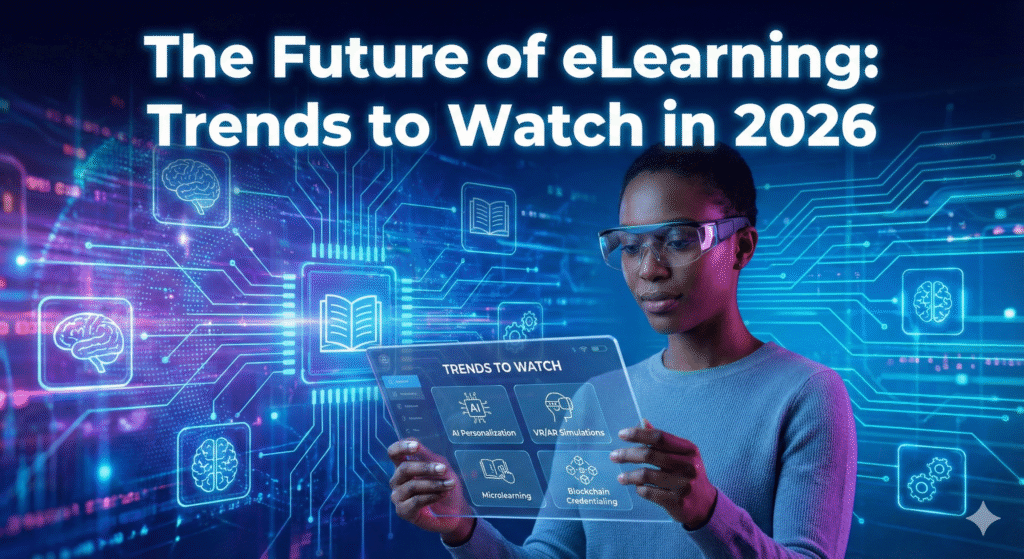
The Future of eLearning: Trends to Watch in 2025
The Future of eLearning: Trends to Watch in 2025 is more than a buzzworthy title—it’s a practical guide for teams who must upskill faster, prove impact, and support people wherever they work. Below, you’ll find 15 clear trends, a simple roadmap, and metrics that leaders can use today.
Introduction: What’s Driving Change in 2025
Learning is shifting because work is shifting. Projects move faster, tools update weekly, and many teams are hybrid or fully remote. Learners expect training to feel like modern apps: personal, bite‑sized, and available on any device. At the same time, leaders want skills visibility—who can do what, where are the gaps, and how do we close them quickly?
Three forces make 2025 a turning point:
-
AI maturity: Affordable tools can personalize content, generate quizzes, and provide instant support.
-
Content overload: Knowledge lives across courses, videos, wikis, and chats. We need curation, not more noise.
-
Skills economy: Organizations hire and promote based on skills evidence—not only titles or time in role.
The result: a learning ecosystem that’s smarter, more connected, and focused on outcomes—not just completions.
Helpful resource: The EDUCAUSE Horizon Report offers accessible analysis on emerging learning technologies each year.
Trend 1 – Hyper‑Personalization with AI
AI tailors the journey to each learner. Platforms analyze signals such as diagnostic scores, searches, time on task, and confidence ratings. Then they adapt the path: skip what’s mastered, reinforce weak spots, and recommend the next best step.
How It Works (Simple)
Signals → Models → Actions.
-
Collect signals (activity & assessment). 2) Models detect patterns (e.g., likely struggle). 3) Actions follow: a nudge, a micro‑lesson, or a chat with an AI tutor.
Benefits & Common Pitfalls
-
Benefits: Faster mastery, less seat time, higher motivation.
-
Pitfalls: Hidden bias in data and “black‑box” choices. Be transparent; let learners override recommendations.
Trend 2 – Microlearning & On‑Demand Content
Short lessons (2–8 minutes), checklists, and job aids fit the flow of work. Pair microlearning with spaced practice to strengthen long‑term memory. Tip: tag each micro‑asset to a single skill so it’s easy to find and measure.
Where it shines: frontline operations, sales enablement, product updates, and compliance refreshers.
Trend 3 – Immersive Tech: VR, AR, XR
VR, AR, and XR let people practice safely and repeat difficult tasks. Think of customer role‑plays, equipment maintenance, or emergency drills. Immersive practice raises confidence and reduces costly errors—especially in high‑risk fields.
Trend 4 – AI & Automation in Course Creation
Authoring assistants draft outlines, learning objectives, quiz banks, and feedback. They also check clarity and accessibility. Human experts still choose examples, set accuracy standards, and audit tone—AI just speeds the work.
Trend 5 – Gamification & Engagement Boosters
Points, badges, and quests are not toys—they’re feedback loops. When tied to real skills and progress dashboards, gamification nudges steady effort and makes learning stick. Keep it fair: reward mastery, not only activity.
Trend 6 – Social & Collaborative Learning
People learn from people. Communities, cohort runs, and user‑generated content (UGC) capture internal know‑how. Lightweight tools—comments, reactions, asks, and peer reviews—turn tacit knowledge into searchable assets.
Trend 7 – Certification Programs & Digital Credentials
Short credentials and verifiable badges help learners show progress and help managers spot skill readiness. Stack small wins toward bigger goals (e.g., role pathways). Use clear rubrics so everyone trusts the badges.
Trend 8 – Learning Analytics & Predictive Models
Analytics reveal what truly works. Dashboards track engagement, mastery by objective, time‑to‑competence, and more. Predictive models flag learners who might stall and suggest timely interventions: a simpler practice set or a mentor ping.
Trend 9 – Mobile‑First & Offline Access
Learning must work on the train, at a client site, or in the field. Design for thumbs and spotty Wi‑Fi: responsive pages, transcripts, downloadable modules, and progress sync when reconnected.
Trend 10 – Learning in the Flow of Work
Bring resources into the tools people already use—chat, email, docs, CRM, or ticketing. A quick search should return one best job aid and the top three related lessons. This turns learning into a daily habit.
Trend 11 – Accessibility & Inclusive Design
Accessibility helps everyone: captions for noisy spaces, translation for global teams, and dyslexia‑friendly layouts. Follow Universal Design for Learning (UDL)—offer multiple ways to engage, show knowledge, and get feedback.
Trend 12 – Security, Privacy, and AI Governance
Collect only what you need, encrypt data, and publish clear retention policies. For AI, document model purpose, training data sources, and human‑review steps. Give users choices and explain how recommendations are made.
Trend 13 – Skills‑Based Learning & Talent Marketplaces
Map roles → skills → proficiency levels → learning. Skills graphs make content recommendations smarter and open career paths. As data grows, internal marketplaces can suggest projects or gigs that build targeted skills.
Trend 14 – Simulation‑Based & Performance Assessment
Move beyond multiple choice. Use simulations, projects, and on‑the‑job evidence. Rubrics clarify what “good” looks like. Pair with spaced retrieval quizzes to combat forgetting.
Trend 15 – Curation & Knowledge Management (LXP)
A Learning Experience Platform (LXP) unifies content from your LMS, libraries, and wikis. Strong tagging, approvals, and review dates keep quality high. Track everything with xAPI into a Learning Record Store (LRS) to analyze beyond completions. Learn more about xAPI from ADL.
90‑Day Action Plan for 2025
Days 1–15: Choose the Use Case
-
Pick one high‑impact area (onboarding, sales ramp, or safety).
-
Define 2 KPIs: time‑to‑competence and one job outcome (e.g., quality score).
-
Draft your skills list (20–30 skills tied to the use case).
Days 16–45: Build the Experience
-
Curate 30–40 micro‑assets; tag each with a skill and level.
-
Configure adaptive assessment and recommendations.
-
Set up a cohort community with weekly check‑ins.
Days 46–75: Launch & Support
-
Run the pilot; track engagement and mastery by objective.
-
Use predictive alerts to nudge at‑risk learners.
-
Gather quick feedback (one‑minute pulse after each module).
Days 76–90: Evaluate & Scale
-
Compare results to baseline; keep what works.
-
Publish a playbook: tagging standards, review cycles, and nudge templates.
-
Plan the next cohort and expand the skills map.
KPIs & Measurement Frameworks
-
Leading Indicators: Monthly active learners, search‑to‑click rate, completion of micro‑lessons, community posts.
-
Learning Outcomes: Pre/post mastery, confidence ratings, simulation scores.
-
Behavior & Results: Speed to productivity, sales calls completed, error rates, quality audits.
-
Frameworks: Kirkpatrick (Levels 1–4), ROE (Return on Expectations), ROI where feasible.
-
Experiments: A/B test different nudges or micro‑lesson lengths; use holdout groups to quantify lift.
Quick Reference: Trend → Benefit Matrix
| Trend | Primary Benefit | Best Use Cases |
|---|---|---|
| AI Personalization | Faster mastery | Onboarding, core skills |
| Microlearning | Better retention | Product updates, SOPs |
| Immersive Tech | Safe practice | Safety, service, equipment |
| AI Authoring | Faster production | New courses, refreshes |
| Gamification | Motivation | Long programs, compliance |
| Social Learning | Tacit knowledge | Communities, mentoring |
| Digital Credentials | Career mobility | Role pathways |
| Analytics & Predictive | Early support | Large cohorts |
| Flow‑of‑Work | Habit formation | Daily tools |
FAQs
1) How does AI personalization actually work?
It reads learning signals (like quiz results and search terms), predicts needs, and recommends the next step. You can always let learners override suggestions for transparency.
2) What’s the best way to design microlearning?
Focus each piece on one skill and one action. Keep it short, add a quick check for understanding, and link to deeper resources.
3) Do we need VR to benefit from immersive learning?
No. Start with lightweight simulations or branching scenarios on the web. Add VR/AR later for high‑impact skills.
4) How do digital credentials help?
They make progress visible and verifiable. Badges attached to skills help managers spot readiness for projects or promotions.
5) What should we measure first?
Track time‑to‑competence and one job outcome. These two numbers make your case for investment.
6) Will AI replace instructors or L&D teams?
No. AI speeds authoring and feedback; humans set goals, provide coaching, and ensure quality and fairness.
7) How do we protect learner privacy?
Collect minimal data, encrypt it, and publish a clear policy. For AI features, document sources and add human review.
8) Can small organizations adopt these trends?
Yes—start with a single course, 20 micro‑assets, and an adaptive quiz. Expand only after you see results.
Conclusion & Next Steps
The Future of eLearning: Trends to Watch in 2025 points to a simple idea: learning should be personal, practical, and provably effective. Start with one pilot, tag content to skills, and measure the jump in time‑to‑competence. Add social learning and credentials to keep momentum. With careful governance, these trends turn training into real performance.
Action Checklist
-
Choose one use case + two KPIs.
-
Map 20–30 skills to that use case.
-
Build a micro‑library and enable recommendations.
-
Launch a cohort with weekly nudges.
-
Review analytics and plan the next release.